BLACKOUT COMMS

Off-grid texting and tracking

Download Blackout Comms.

Private mesh texting and location for when cell service and internet are gone. Flash the firmware, or pair the free Android app and desktop monitor. No frequencies to pick. No account.

Works on LilyGO T-Deck, T-Deck Plus, LilyGO Pager, Heltec v4, and mesh links. Community license is free for up to 3 devices. A $25 cluster license on the root covers up to 90 and unlocks map tiles. Kits from Altware arrive licensed.

FirmwareThe radio. Required. LilyGO, Heltec, Altware. Live for AndroidOptional phone or tablet map and messages. OverlookOptional Windows, Linux, or Pi wall view.

Blackout Comms firmware for T-Deck, Pager, and Heltec

Off-grid mesh texting on the device. A phone is not required.

This is the core of a private cluster. Flash it, name the device, and the root creates the cluster. Other devices are onboarded from the root. Most communicators work like a small texting app. Same class of LoRa hardware people use for Meshtastic, with automatic encryption, signatures, and frequency hopping instead of a setup project.

  • Direct messages and broadcasts. In-range DMs confirm on delivery. Out-of-range and powered-off deliveries ride the mesh.
  • Mesh memory keeps last known position, heading, speed, and battery, including devices that are off.
  • DMs can be held up to 24 hours. Broadcasts up to 2 hours. Relays cannot read a DM.
  • Messages are encrypted and signed, then striped across unpredictable hops.
  • Neighbors view for direct range, plus devices several hops away.
  • Maps can display on-device, if you use an SD card from the start.
  • Chain of trust. A new device takes the cluster settings when the root onboards it.
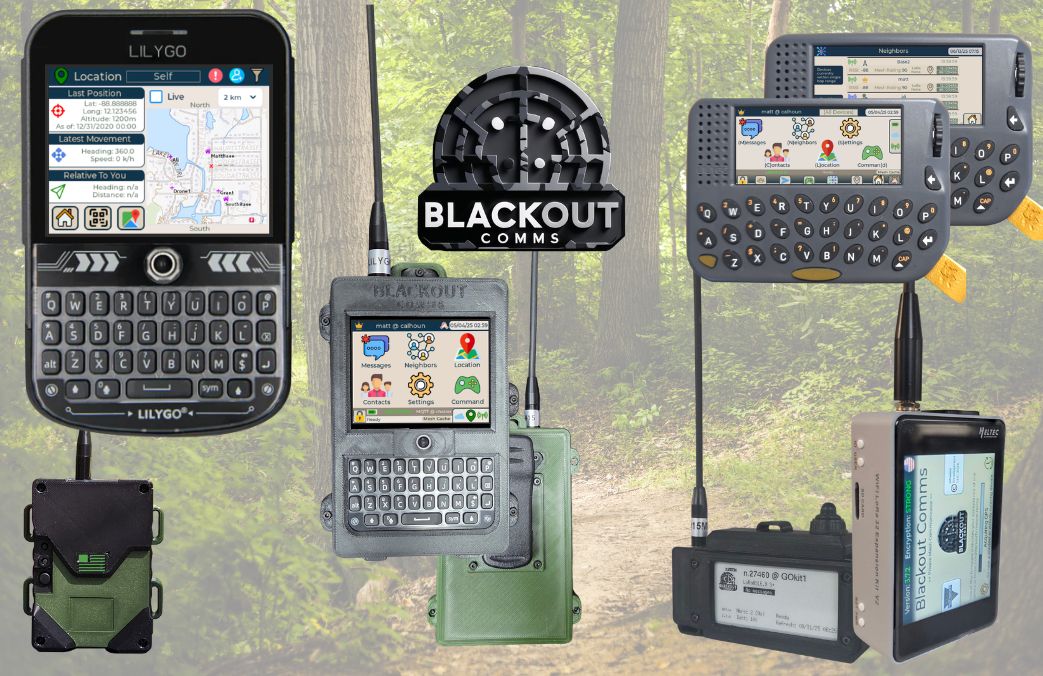
  • Communicators: LilyGO T-Deck, T-Deck Plus, LilyGO Pager, Heltec v4 touch, Altware builds.
  • Links: T-Beam, T-Beam 1W, T3S3 OLED and e-paper, Heltec E290, Heltec v4 node.
Demos: Other mesh sits on one frequency. Blackout Comms doesn't. · Heltec Expansion Kit V2, 8-mile texting and tracking

Current public build: 3.7.8. Use the same USA or non-USA build on every device. Flashing takes about a minute. Flash walkthrough · Cluster license · Blackout Comms vs Meshtastic

LilyGO T-Deck, Pager, Heltec v4, and others running Blackout Comms off-grid mesh firmware.
T-Deck, Pager, Heltec, and others on Blackout Comms. No phone required.

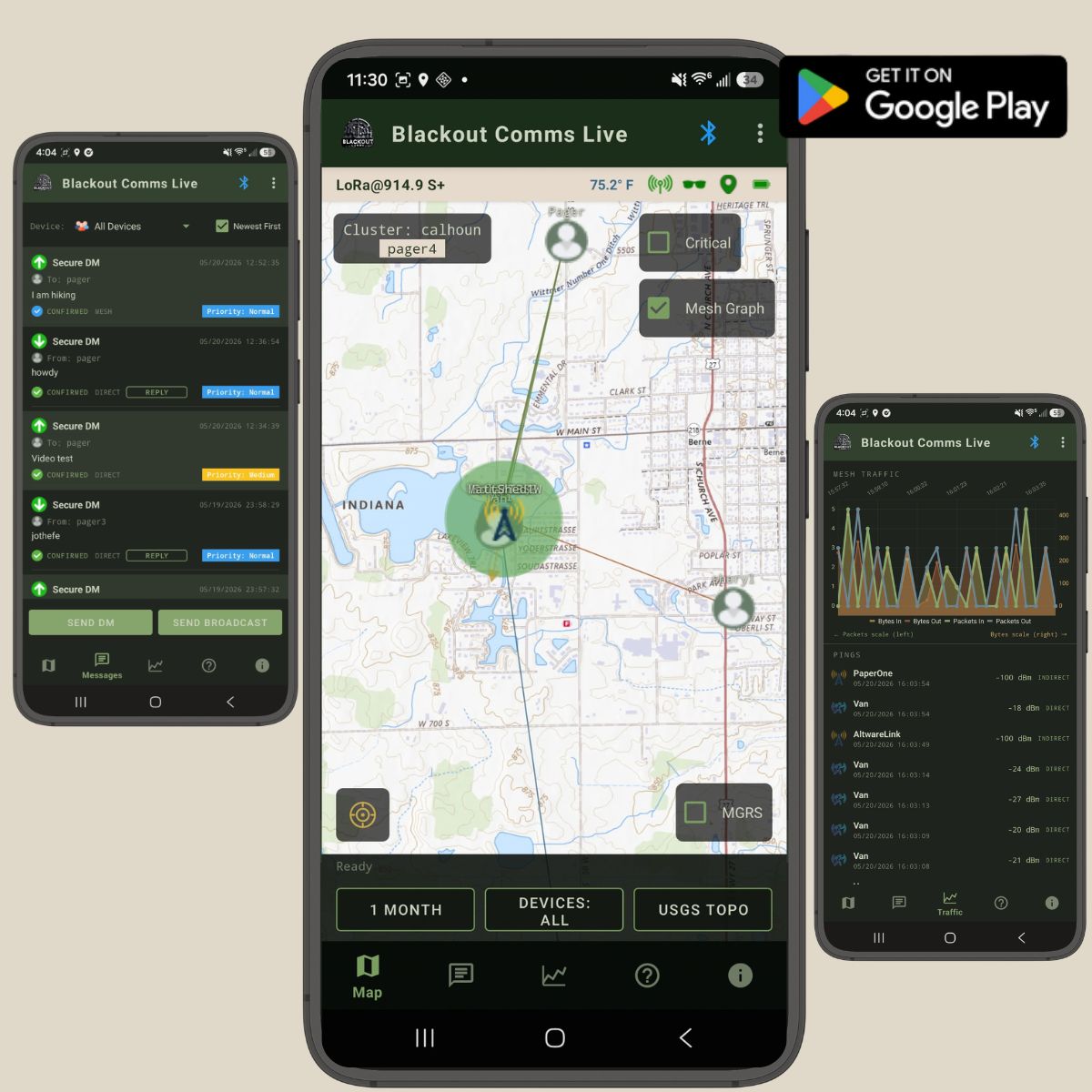
Blackout Comms Live, the Android companion

A larger map and keyboard for a cluster you already have.

Pair a phone or tablet to any communicator over Bluetooth. Live does not replace the radio and does not hold the keys. It shows positions, messages, and traffic that device already knows. After map tiles are saved, it keeps working with no cell service and no internet. Useful for a family check-in or a grid-down watch when the handheld screen is too small.

  • Live map of the cluster, plus last-known position from mesh memory when a device is off.
  • Offline map tiles. The cache survives app updates.
  • Send and receive encrypted DMs and broadcasts through the connected communicator.
  • Priority, expiry, and delivery state on each message.
  • Mesh lines, RSSI, and a traffic chart for placing a link or antenna.
  • MGRS overlay, filters, and saved map state.
  • Free. Open source. Android only. Needs a Blackout Comms device.

Demo: Off-grid position tracking with Live at Quabache State Park

Message text and locations are visible to the phone while connected. Keys are not. No iOS app.

Blackout Comms Live on Android: messages, cluster map, and mesh traffic.
Blackout Comms Live screenshots.

Blackout Comms Overlook for a desktop or wall monitor

The same cluster feed as Live, built to leave on a screen.

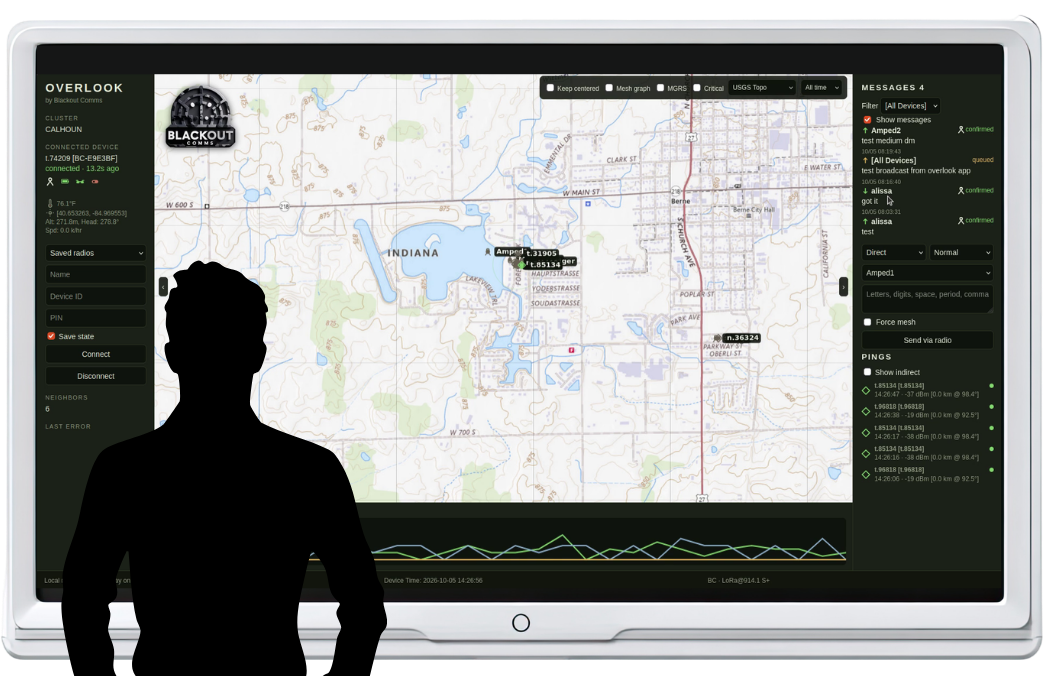
Overlook is the cabin, shop, or table view. It pairs to one radio over Bluetooth and draws the private mesh on Windows, Linux, or a Raspberry Pi over HDMI. The radio still does the encryption and the routing. This program is only a window, and it keeps working after the map tiles are cached.

  • Pan-and-zoom map of current and last-known positions and headings.
  • Device list with battery, role, and last ping.
  • Mesh lines, MGRS grid, critical-only filter, and a time filter.
  • Direct and indirect pings, with distance and bearing when both positions are known.
  • Send and receive DMs and broadcasts through the connected radio.
  • Traffic graph for packets in, packets out, and unknown.
  • Windows zip, or Linux / Pi from source. A Pi 4 or Pi 5 can run it as a kiosk.

Demo: Overlook on a Raspberry Pi wall display, no network required

Windows: unzip and run Overlook.exe. Keep the _internal folder beside it. Linux: clone the repo, install BlueZ, run server.py, open 127.0.0.1:8733.

Blackout Comms Overlook on a large wall-mounted monitor, showing the cluster map, messages, and pings.
Blackout Comms Overlook on a large wall-mounted monitor.

Which download do you need?

You haveGetThen
A LilyGO T-Deck, Pager, or Heltec board, not yet flashed Firmware for that exact board Flash, create the cluster on the root, onboard the rest
A working communicator and an Android phone Blackout Comms Live Pair over Bluetooth. Download map tiles before you leave service.
A PC, Linux box, or Pi and a monitor Overlook Pair one radio. Leave it up. Tiles cache locally.
More than 3 devices, or map tiles on the hardware Cluster license, $25 once Apply it on the root. It covers the cluster, up to 90 devices.

Off-grid texting questions

How do I download Blackout Comms firmware?

Pick the installer for the board in your hand. T-Deck, T-Deck Plus, LilyGO Pager, and Heltec v4 each have a page. Use a data cable, hold the boot button, tap reset, then run the web installer. It takes about a minute. Use the same USA or non-USA build on every device in the cluster.

Is this a Meshtastic alternative?

It runs on much of the same LilyGO and Heltec hardware. It is a different system: a private cluster, automatic encryption and signatures, frequency hopping, and mesh memory. You can send a message from the device. A phone is optional.

Will it work with no cell service and no internet?

Yes. Text and location move over LoRa between your own devices. No tower, no account, no cloud. Save map tiles before you leave service if you want the map offline. An optional Blackout Comms Mesh Cloud service is available for bridging large gaps in your cluster via internet, but it is completely optional. Your cluster stands on its own without the need for any services.

What do preppers actually use it for?

A family or property cluster for grid-down texting and last-known location. A couple of handhelds, plus a link on the house or ridge if you want more reach. It is a local backup, not a replacement for a radio license where one is required. Follow local radio rules.

Is there an iPhone app?

No. Live is Android only. The communicators do not need a phone. Overlook covers Windows, Linux, and Raspberry Pi if you want a larger screen.